Stop guessing. Start comparing.
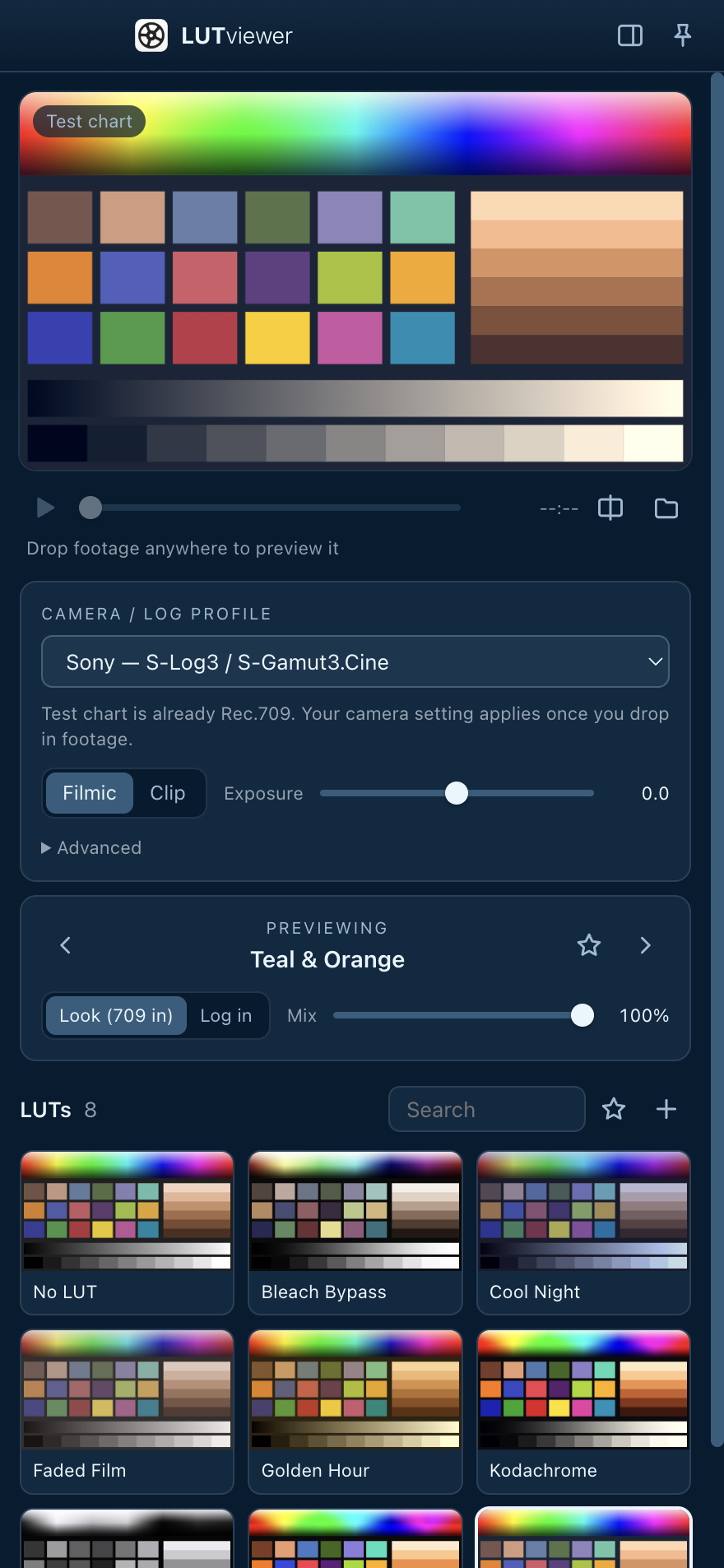
Drop in a clip and every LUT in your library renders on your actual frame, side by side.
Every LUT at once
A live thumbnail grid shows each LUT on the current frame, and it updates as you scrub.
Log → Rec.709 built in
Pick your camera and LUTviewer converts log footage first, so creative looks land the way they were designed to.
Lives on the side
A slim panel that docks to your screen edge and can float above Premiere, Resolve or Final Cut.
Drag & drop
Drop .cube / .3dl files or whole LUT-pack folders in once. Drop clips on the window or the Dock icon.
Before / after split
Wipe across the frame, blend with the mix slider, star favorites, and flip through LUTs with the arrow keys.
Private & offline
Nothing is uploaded. Your footage and LUTs never leave your Mac. No account, no subscription.
Three steps to the right look
Add your LUTs
Drag your LUT files or folders in. You only do this once; they stay in your library.
Pick your camera
Choose your log profile so footage is converted to Rec.709 before the looks are applied.
Drop in a clip
Browse the grid, compare with the split view, and take your favorite into your editor.
Speaks your camera's log
Conversions use each manufacturer's published log curve and color gamut math.
Looks and camera LUTs, both handled
Creative LUTs expect Rec.709. Camera conversion LUTs expect raw log. LUTviewer knows the difference, guesses from the file name, and lets you switch with one click.
Works with H.264, HEVC (8 and 10-bit) and ProRes clips, plus JPG, PNG, TIFF and HEIC stills.
Teal & Orange, film emulations…
Your log footage is converted to Rec.709 first, then the look is applied.
SLog3_to_Rec709.cube…
Applied straight to the log signal, exactly as your editor would.

Free. Open source. Made for filmmakers.
One download for every Mac, Apple Silicon and Intel.
Open the DMG and drag LUTviewer into Applications. The first time, right-click the app and choose Open. If macOS says it's damaged, run xattr -cr /Applications/LUTviewer.app in Terminal once.